Every agent starts from zero
A fresh clone, a fresh environment, a fresh misunderstanding of the codebase — and the work stops when you close the laptop.
Agentic Control runs Claude Code, Codex and OpenCode as one team on a VPS you own. One agent plans and reviews, another implements, and you approve the pull request — from your laptop or your phone.
Works with the subscriptions you already pay for: Claude, ChatGPT, OpenCode, or any model through OpenRouter. No hosted account in between — the workspace, the sessions and the history stay on your server.
Every screen below is real: Focus Timer, a small Pomodoro app built for this page by Codex orchestrating Claude Code, on one server, with two subscriptions.
The code, the commits and the pull requests are public: github.com/STpytut/focus-timer
01
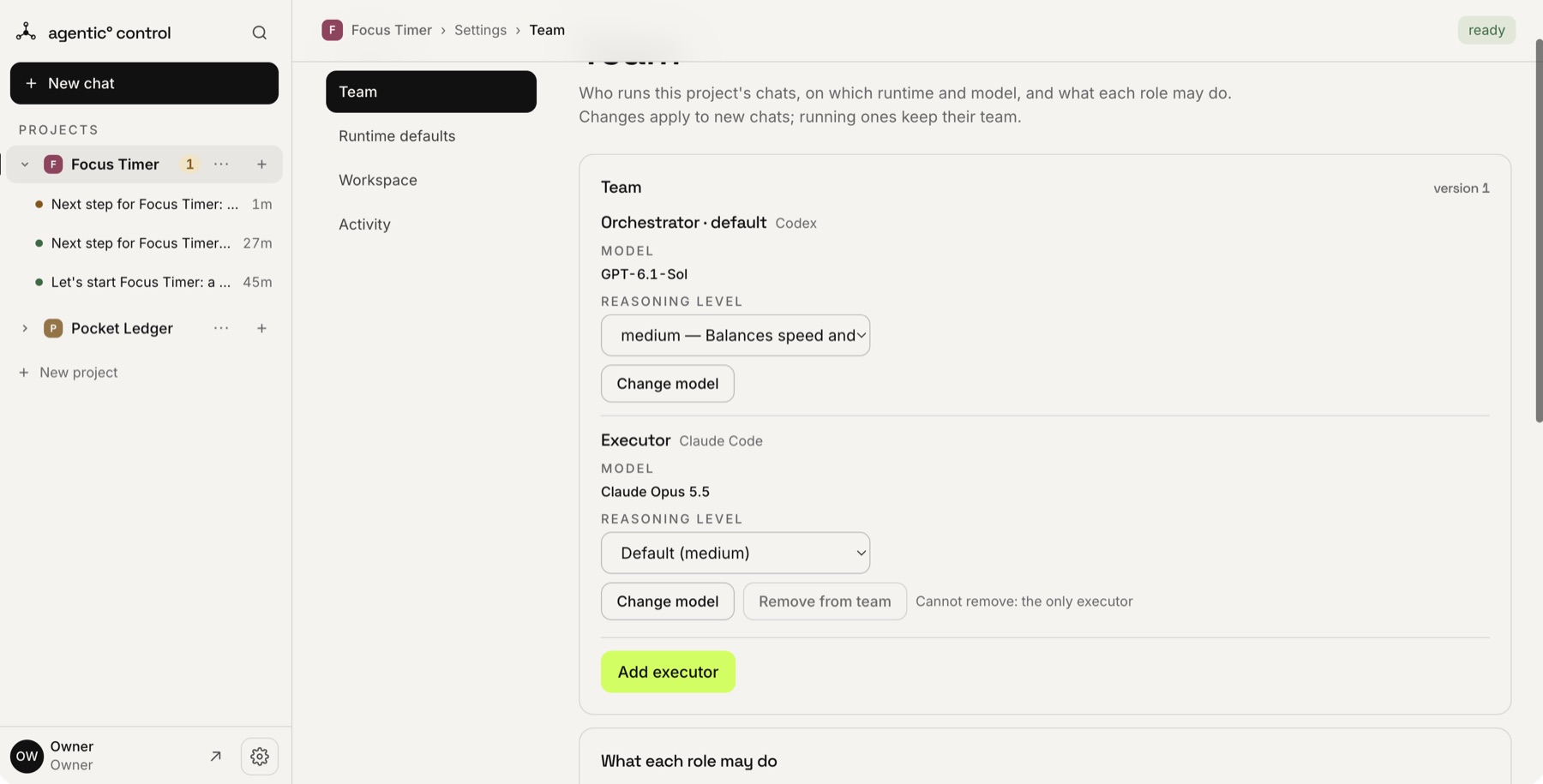
Connect a repository through your own GitHub App and choose who does what: any runtime and model as the orchestrator, one or more executors. Here Codex on gpt-6.1-sol plans and reviews, Claude Code on Opus 5.5 writes the code.
02
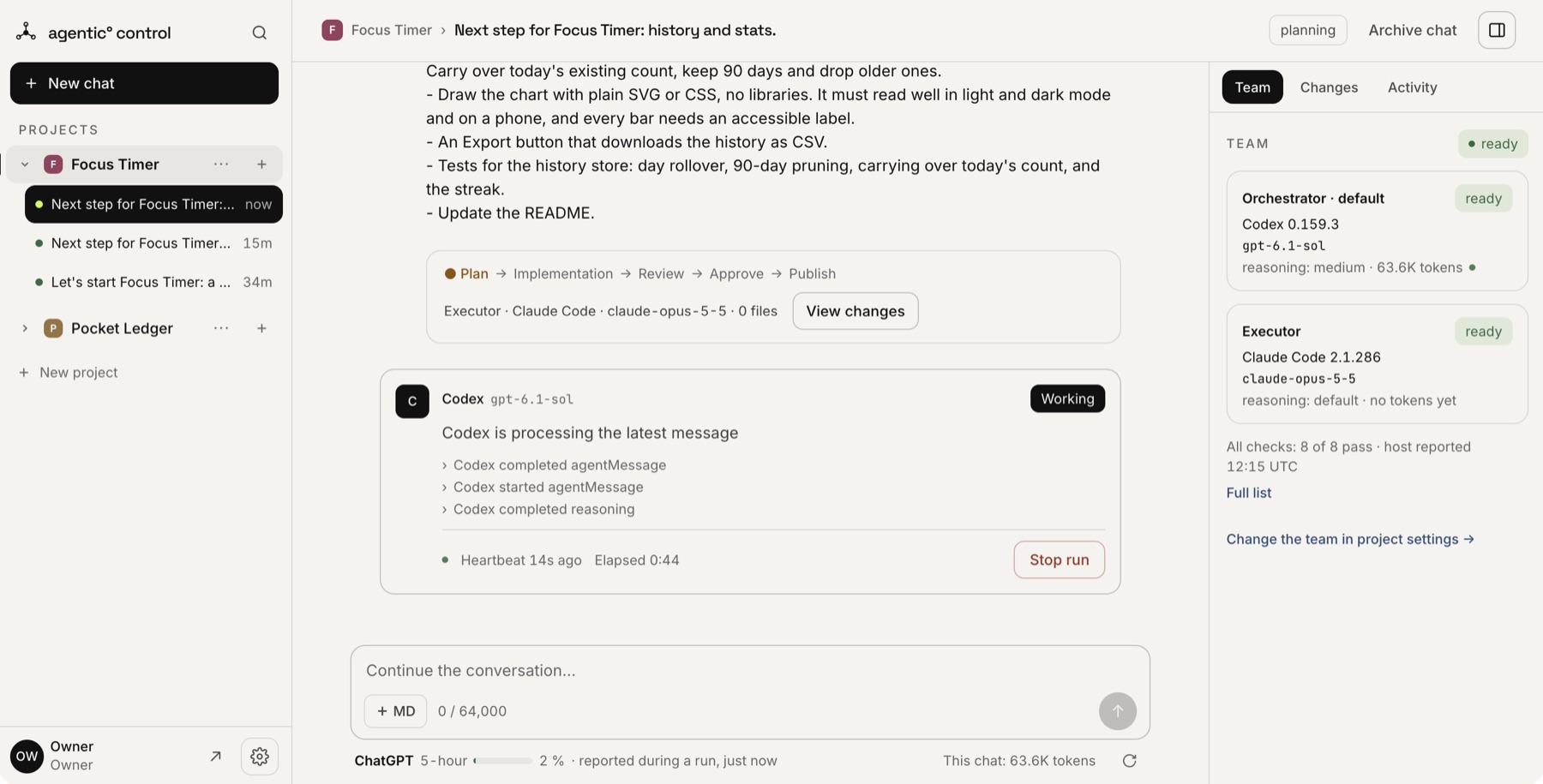
Plain text, the way you would brief a colleague. Here: history and stats for a Pomodoro app. Codex on gpt-6.1-sol is planning; the panel shows what it is doing and for how long.
03
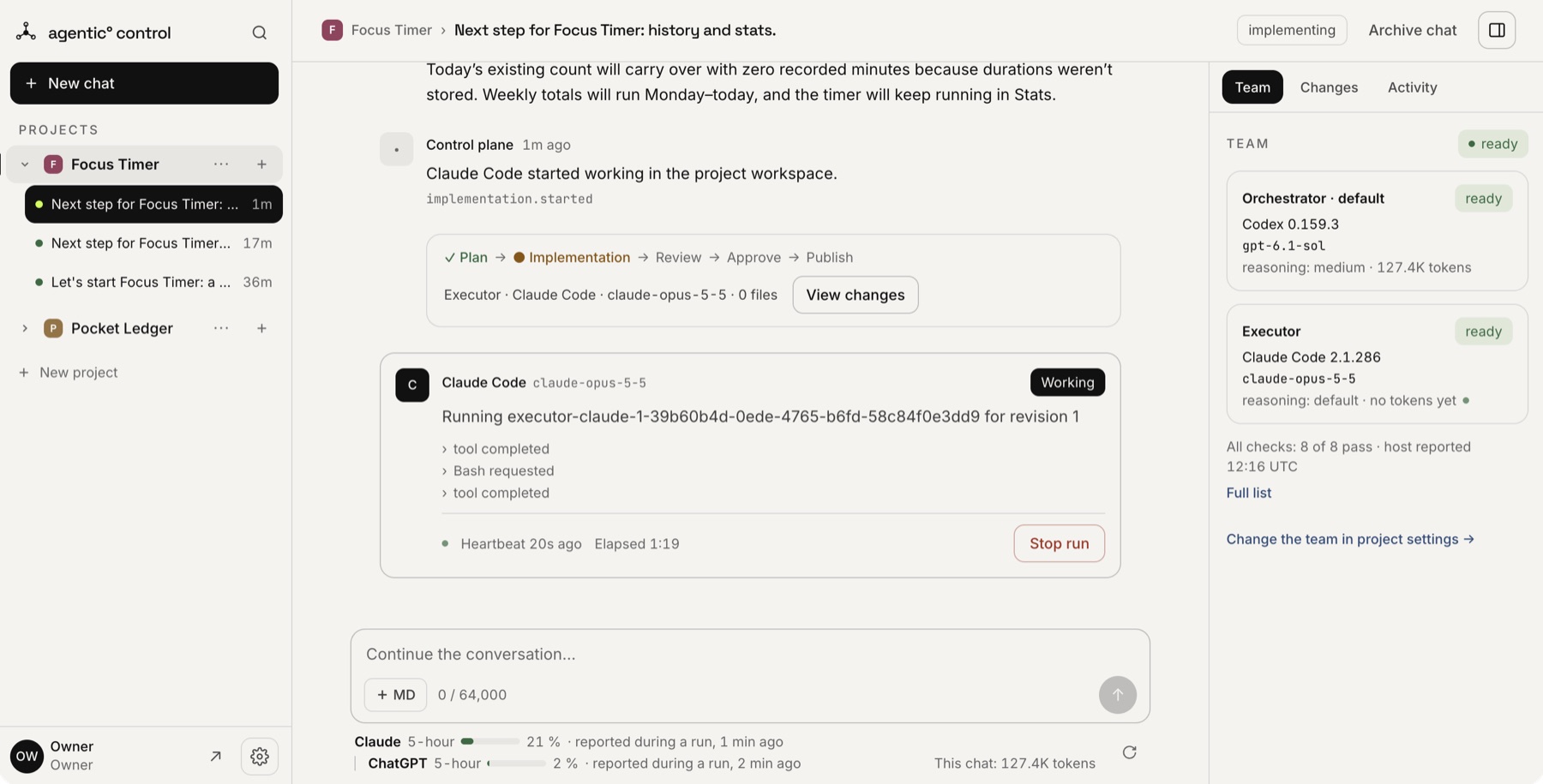
The orchestrator writes the plan and hands it over. Claude Code on Opus 5.5 works in the project's own workspace on the server — the same checkout as last time — while you watch each step, or close the tab.
04
In the first chat, Codex found that a failed storage write could erase the sessions finished today; in the third, that expired days stayed in storage after midnight. Each time it sent the work back, and Claude Code fixed it with a regression test. The fixes are commits in the repository.
![GitHub commits on main: the agents' work by infra-cod[bot], two fixes the review asked for, and the owner's merges.](/shots/github-commits.jpg)
05
You press Approve; the panel pushes the approved commit and opens the pull request through your own GitHub App, as a bot — with the task and the executor's report in the description. You merge it where you always do.
![A GitHub pull request opened by infra-cod[bot]: 14 files changed, ready to merge.](/shots/github-pr.jpg)
06
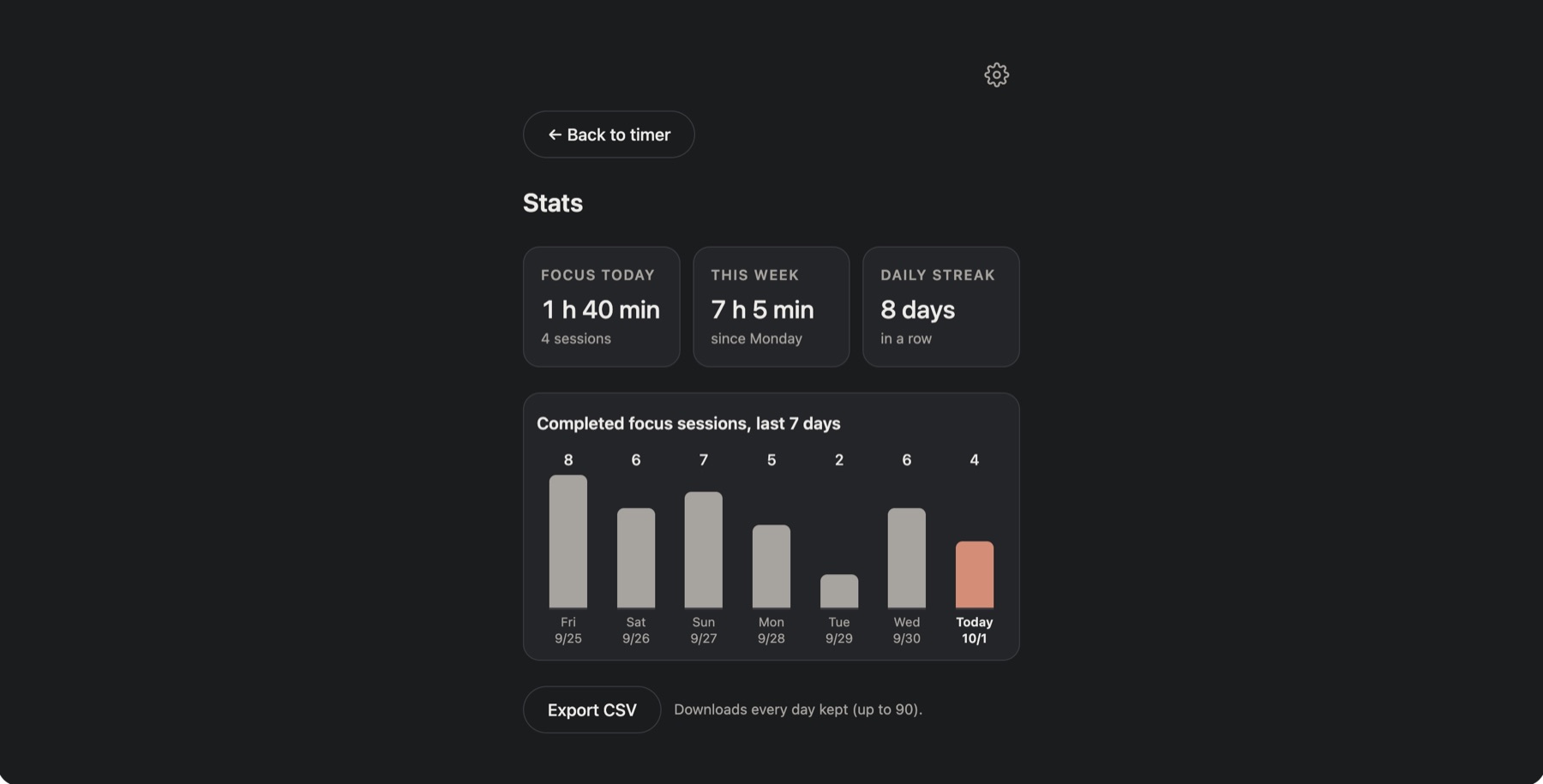
Focus Timer: a timer, settings, a week of stats and CSV export, no dependencies, 114 tests. Three chats and about half an hour of agent time; the review caught a real bug in two of them. Nobody typed code.
Work does not have to start in the panel. Issue #3 of Focus Timer went from a label to a merged pull request without anyone typing a prompt or a line of code.
01
Put the project's label on an issue — agent, by default. Within a minute it waits on the project's page.
02
One press turns it into a chat: plan, implementation, review. The bot says so on the issue.
03
The pull request links back and says Closes #N. Merge it, and the issue closes itself.
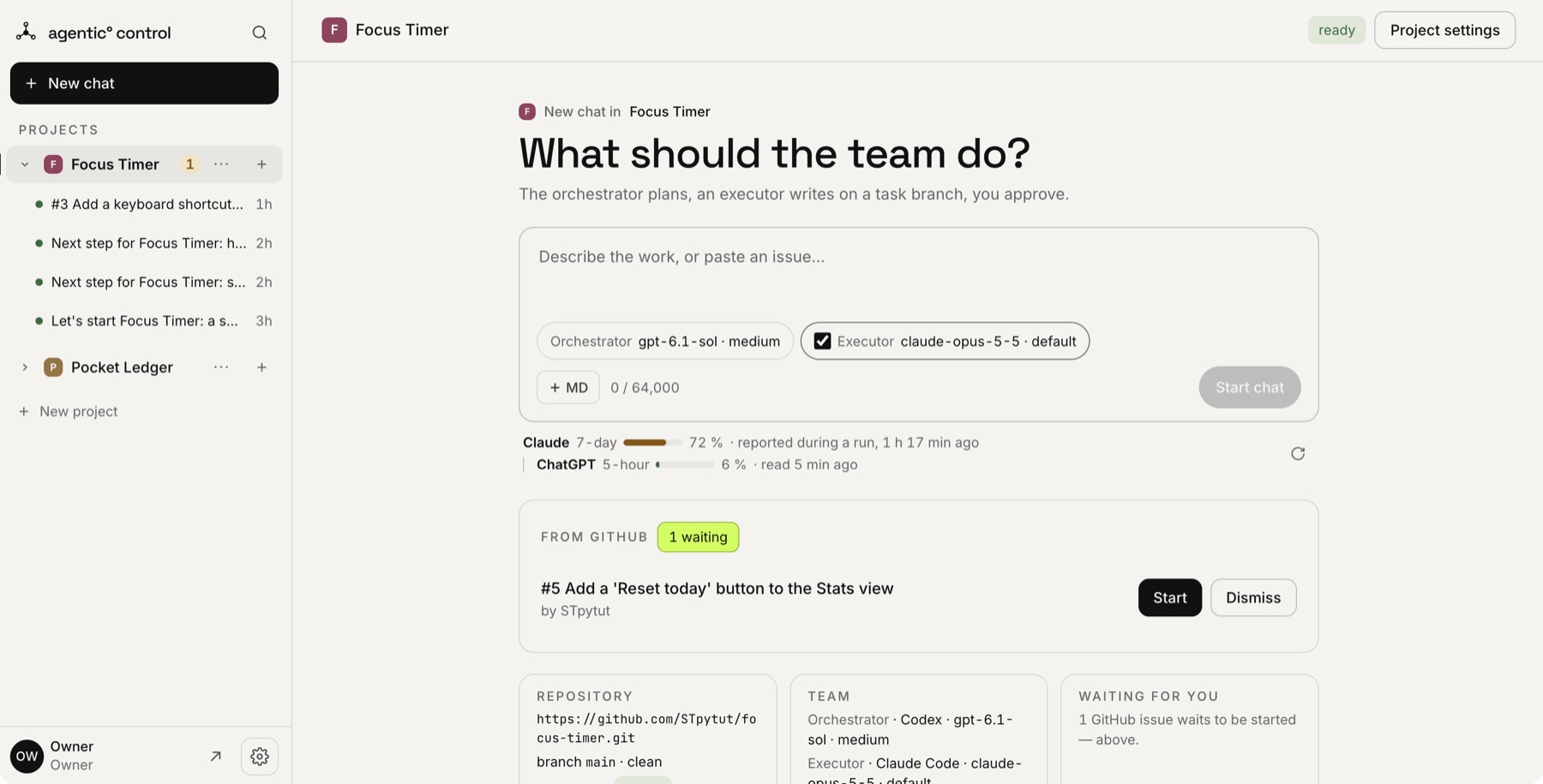
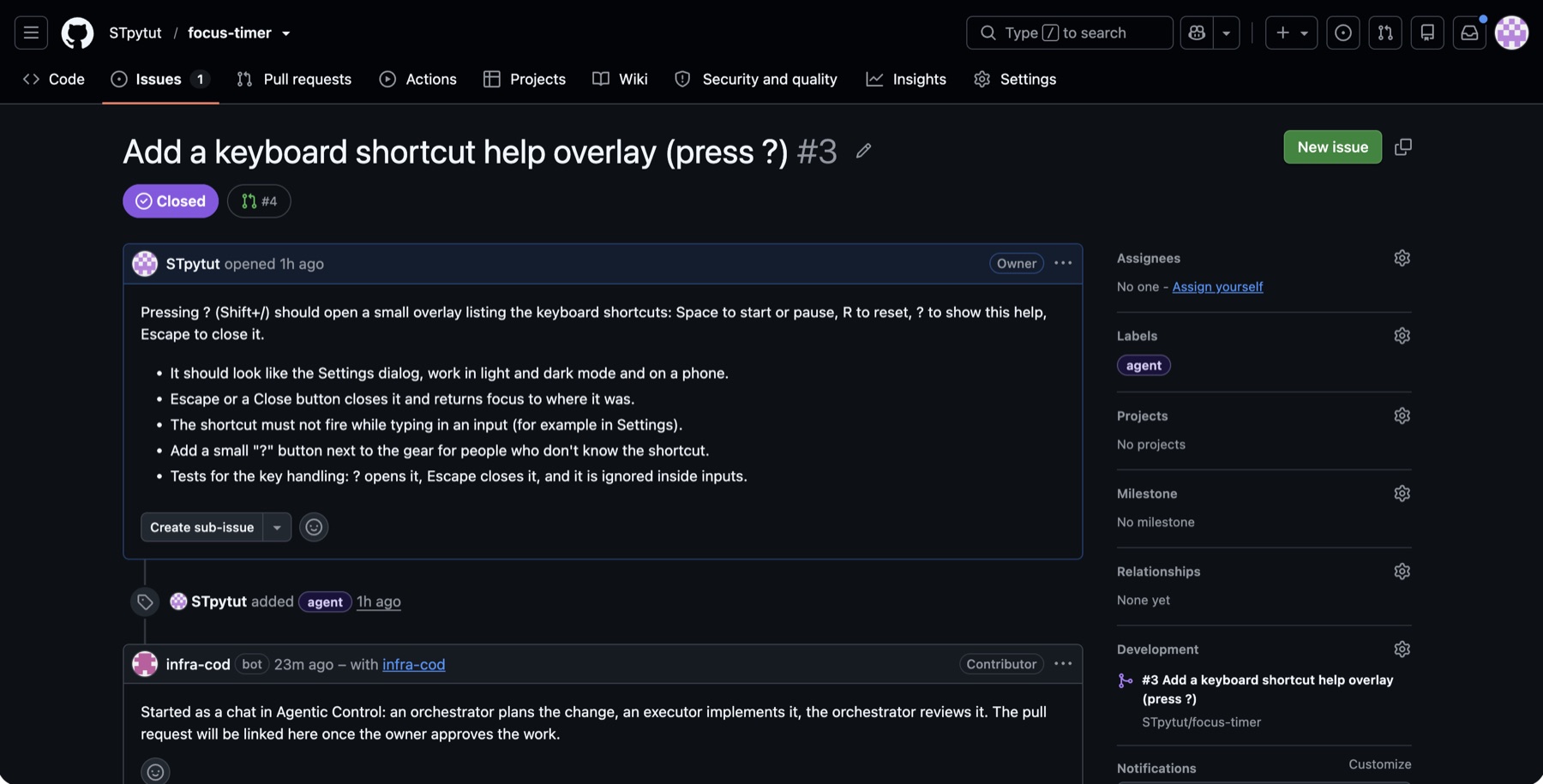
Only issues opened by the repository's owner, a member or a collaborator are offered — an issue's text reaches an agent that writes to your code. Nothing starts until you press Start.
The bottleneck is no longer model quality. It is state, handoff and trust.
A fresh clone, a fresh environment, a fresh misunderstanding of the codebase — and the work stops when you close the laptop.
The model that plans well is rarely the one that edits best, and which is which changes every month. Moving work between them by hand is slow and lossy.
One person operates the panel today; seats for the rest of the team are next.
Nothing is managed for you, because nothing needs to be. The installation is a Node build, a database on a Unix socket and a reverse proxy.
Request path
Browser or phone
Caddy
Next.js standalone
PostgreSQL 17
The panel and each worker connect over a Unix socket. The operating-system user and the PostgreSQL role are mapped one to one, so there is no connection string to leak and no secret to rotate.
Each runtime executes as its own system account, sandboxed, with no database role and no way to read another runtime's login. Agents edit the workspace; the control plane records what happened.
An installation is a single artifact with a manifest and a signature you can check before it ever runs on your machine.
No domain needed: without one, the panel is served at your server's address under sslip.io, with a real certificate.
curl -fsSL https://github.com/STpytut/agentic-control/releases/latest/download/get.sh | sudo sh -s -- --email [email protected]01
On a clean Ubuntu 24.04 server with 4 GB of memory. It checks the release's signature, installs the panel with Codex and Claude Code, and prints the address and a one-time password. About three minutes.
02
In the panel: Codex with your ChatGPT account, Claude Code with your Claude account. No terminal after the install.
03
The panel walks you through creating your GitHub App and the first project. Then write the task and approve the pull request.
Agentic Control is open source and pre-1.0: it runs every day on one production server — its author's. This is the honest state of it.
Projects, chats, orchestrator and executor teams, review, revisions and publishing to GitHub. Used every day by its author.
Claude Code, Codex and OpenCode. A new version is qualified on your server before you promote it, and the model list refreshes itself.
One command on a clean Ubuntu 24.04 VPS (x86-64, 4 GB of memory, 10 GB of disk): database, services, TLS, the panel and the agents. Tested from a clean server twice before release.
Every release is signed. An update checks the signature, takes a backup first and keeps the previous version for a rollback.
One operator per installation today.
The code is open and anyone can install it, but it is pre-1.0: so far it has run in production on one server, its author's. Tell us where installing it stopped you.
If installing it or the first task went wrong, open an issue: the next person who gets stuck there will find the answer. For anything else, or for what your team would need, write to the author.